
How to enable "Contact me" button?
Last updated: August 13, 2025
You can enable a button, which attendees can click on the event site if they want to be contacted after the event. Go to Audience interactions and click Contact me button under Emoji reactions.
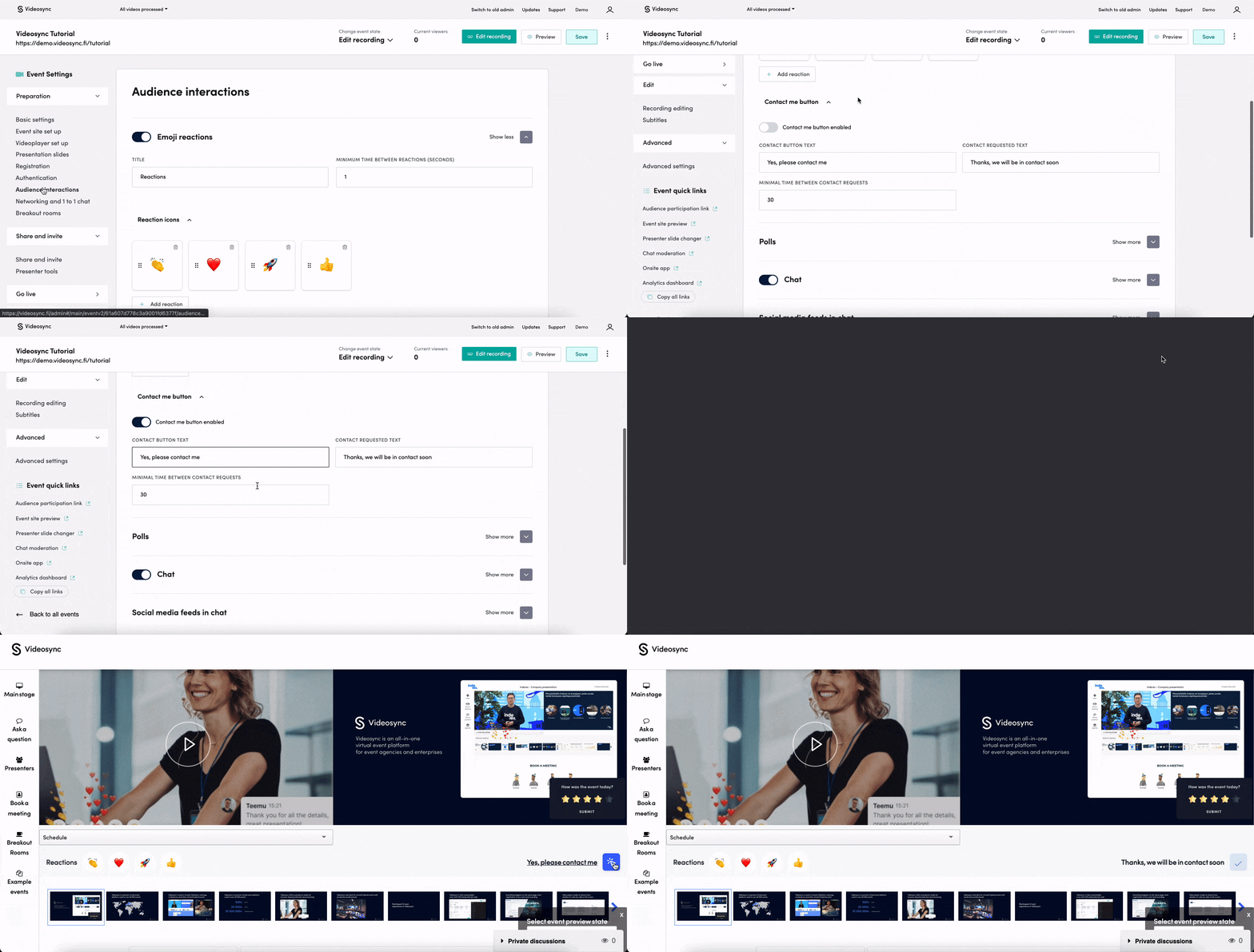
Options for customizing
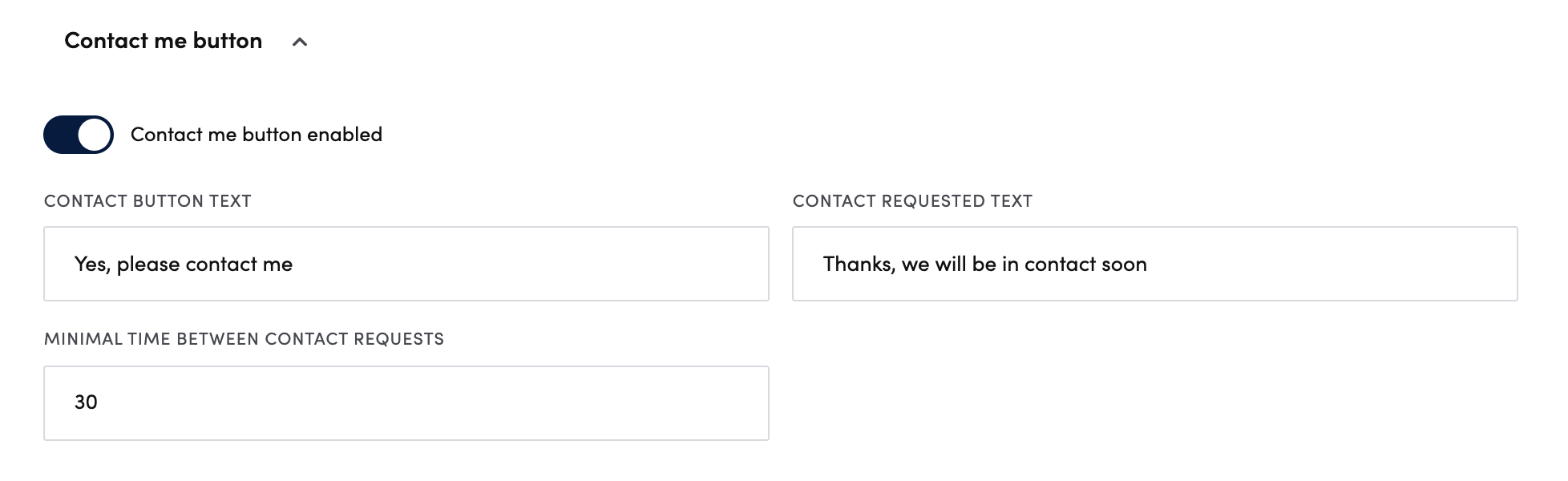
- Contact button text: The text next to the button on the event site
- Contact requested text: The response shown after clicking the button
- Minimal time between contact requests: A time interval in seconds to limit spamming the requests
How to see the contact requests
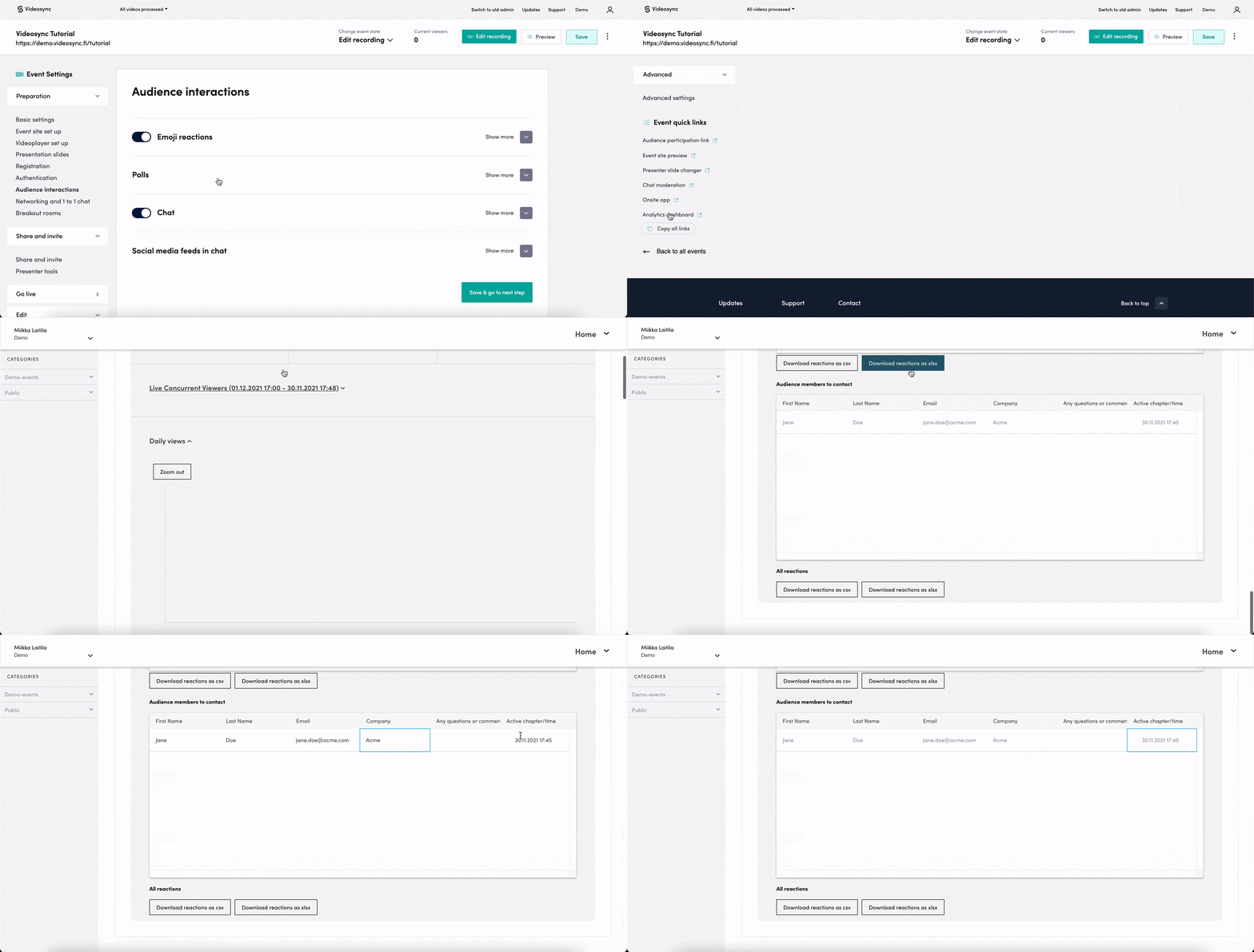
You can go to Analytics dashboard through Event quick links, and find all the contact requests sent by your attendees. Go to the Audience members to contact section in the bottom of the dashboard page.
Can't find what you're looking for?
Our AI assistant is here to help you find the information you need.